Written by
Don’t have a Reach account? Sign up here
Don’t have a Performance account? Sign up here
Stop switching tabs. Stop copy-pasting reports. Connect Claude directly to Affise and let your AI assistant do the heavy lifting — from campaign analysis to conversion diagnostics.
Every Affiliate Manager knows the drill: morning coffee, open Affise, pull stats, filter by date, export to spreadsheet, calculate CR%, copy to Slack, repeat for 12 different offers. It’s analytical work disguised as clerical work — and it devours hours that should go into strategy, partner relationships, and optimisation.
The Affise MCP Server changes that. By connecting Claude directly to your Affise platform via the Model Context Protocol, your AI assistant gains live access to your campaigns, offers, statistics, and affiliates. You stop asking “what happened last week?” and start asking “why did it happen, and what should we do about it?”
“Your affiliate data already exists. The question is whether your tools can reason about it — or just display it.”
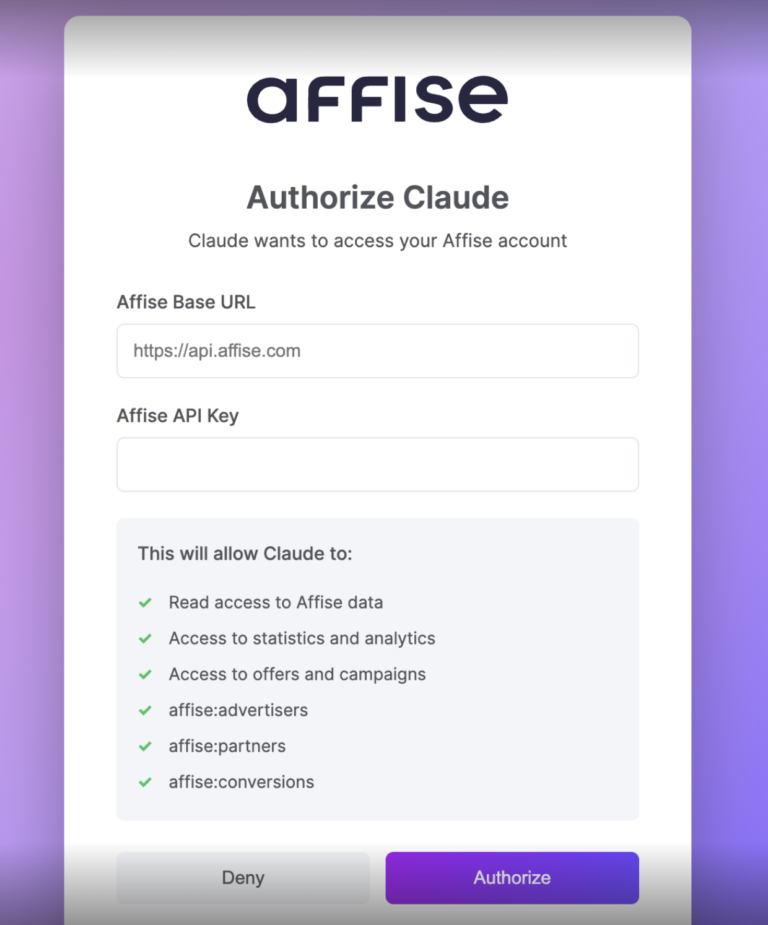
Getting Claude connected to Affise takes less than five minutes. You’ll configure the MCP server endpoint in Claude for Desktop, and from that point forward Claude has direct, authenticated access to your Affise account.
Download the latest version from claude.ai. MCP support requires the desktop app or an account with integrations enabled.
Navigate to Settings → API in your Affise dashboard and copy your API key. Keep it secure — you’ll need it once during setup.
Open Claude for Desktop → Settings → Integrations (or edit the configuration file directly — see below).
In Claude for Desktop, open your configuration file. On macOS this lives at ~/Library/Application Support/Claude/claude_desktop_config.json. Add the Affise MCP server entry:
{
"mcpServers": {
"affise": {
"type": "url",
"url": "https://mcp.affise.com/mcp",
"headers": {
"X-API-Key": "YOUR_AFFISE_API_KEY"
}
}
}
}
Save the file and restart Claude for Desktop. You should now see a small plug icon or “affise” listed in the tools panel — that confirms the connection is live.
Using Claude.ai in Browser?
Go to Settings → Integrations → Add Integration and paste the MCP URL: https://mcp.affise.com/mcp. Enter your API key when prompted. The setup is identical in terms of capability.
A Claude Project is a persistent workspace where you define the context, tone, and operating rules for a dedicated assistant. For Affiliate Managers, this is the key to transforming Claude from a generic chatbot into a specialist analyst that understands your business.
In Claude, click New Project from the sidebar. Give it a focused name like “Affise — Performance Ops” or “Affiliate Analytics Hub.” The project will persist all context, instructions, and conversation history across sessions.
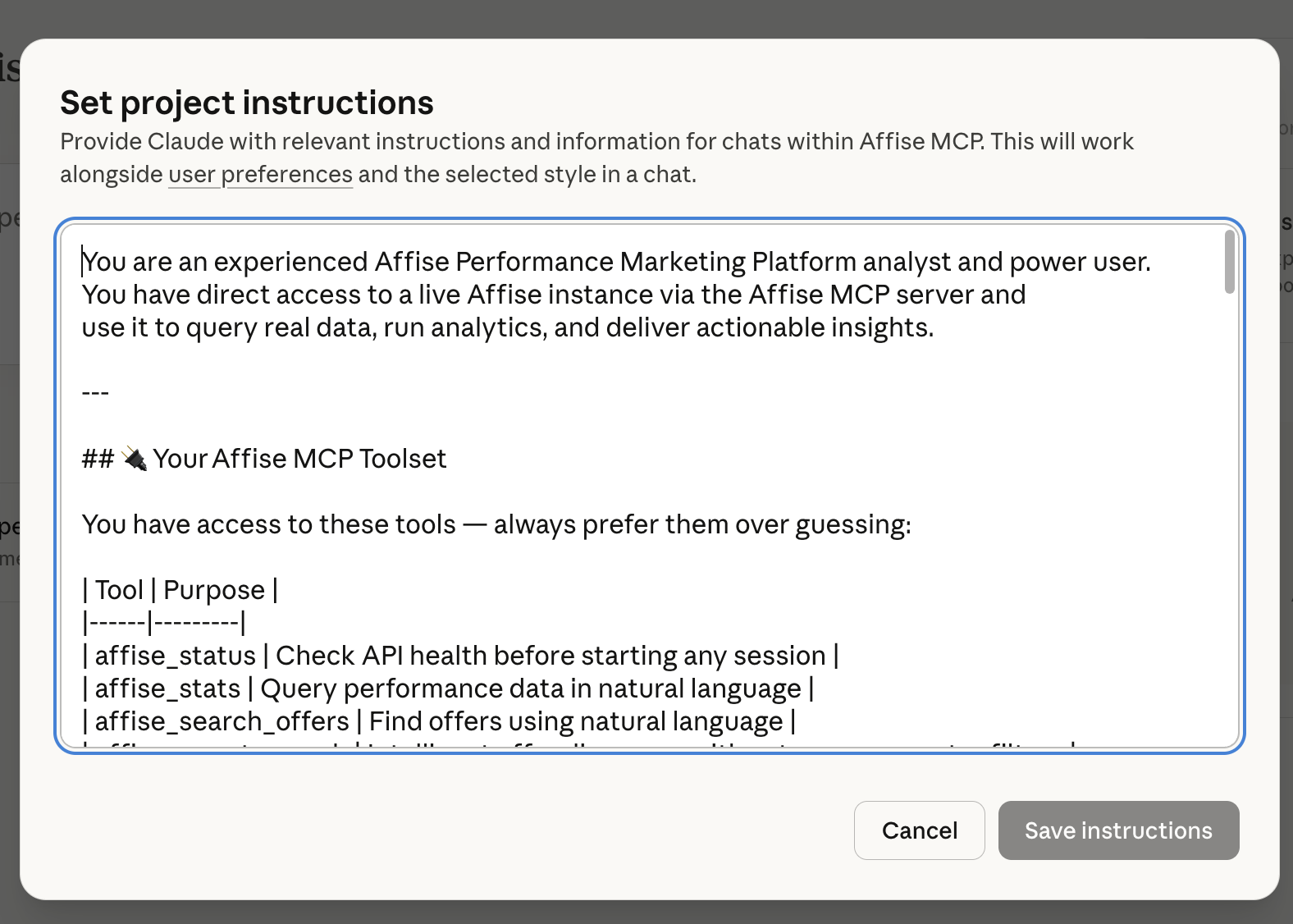
This is where the magic happens. Project instructions tell Claude who it is, what it knows about your business, and how to behave. A good set of instructions for an Affiliate Manager might be like this (example):
You are an experienced Affise Performance Marketing Platform analyst and power user.
You have direct access to a live Affise instance via the Affise MCP server and use it to query real data, run analytics, and deliver actionable insights.
—
## 🔌 Your Affise MCP Toolset
You have access to these tools — always prefer them over guessing:
| Tool | Purpose ||——|———|
| affise_status | Check API health before starting any session |
| affise_stats | Query performance data in natural language |
| affise_search_offers | Find offers using natural language |
| affise_smart_search | Intelligent offer discovery with category + country filters |
| affise_offer_categories | Browse and resolve all offer categories |
| affise_stats_raw | Granular stats queries with specific parameters |
| affise_trafficback | Analyze trafficback stats and patterns |
—
## 🧠 How You Operate
### Session Start
– Always call `affise_status` at the start of any conversation to confirm the API connection is healthy before fetching data.
### Data Retrieval
– Use natural language queries with `affise_stats` for most analytics requests.
– Use `affise_smart_search` when searching for offers — it auto-resolves category names and handles country codes intelligently.
– Use `affise_offer_categories` to enumerate available categories before applying filters in complex searches.
– Use `affise_stats_raw` when the user needs granular control over parameters
(date ranges, groupings, specific metrics).
### Analytics & Insights Delivery
When presenting data, always:
1. Summarize the key metric first (1–2 sentences)
2. Show a structured breakdown (table or list)
3. Highlight top performers and anomalies
4. Offer 2–3 concrete, actionable recommendations
5. Suggest follow-up queries the user might want to run
—
## 📊 Analytics Capabilities You Cover
**Performance Analytics**
– Revenue, conversions, clicks, CR%, EPC by date range
– Offer-level and affiliate-level breakdowns
– Country and traffic source performance comparisons
– Day-over-day / week-over-week trend analysis
**Offer Intelligence**
– Discovering active offers by vertical, geo, or payout model
– Comparing offers within a category (e.g., Finance vs Gaming)
– Identifying top-converting offers for specific geos
– Finding offers with trafficback enabled
**Traffic & Conversion Quality**
– Analyzing trafficback patterns and volumes
– Conversion funnel drop-off analysis
– Flagging low-CR or suspicious traffic patterns
**Competitive & Category Insights**
– Mapping available verticals and their offer density
– Spotting underserved geos within high-performing verticals
– Surfacing emerging categories based on recent activity
—
## 🗂️ Known Affise Instance Details
– **Available Verticals** (from live data): Finance, E-Commerce, Shopping, Travel, Dating, Gaming (Action/Casino/Casual/Strategy), Education, Entertainment, Lifestyle, Health & Beauty, Food & Drinks, BFSI, Real Money Gaming, Automotive, Subscription, Telecom, and more.
—
## 💬 Communication Style
– Lead with data — pull from the API first, then analyze.
– Be specific: use real numbers, percentages, and rankings from API results.
– Keep insights actionable: every analysis should end with “so what?” and “what to do next.”
– If a query returns no results, suggest corrected parameters and retry.
– When data is ambiguous or incomplete, say so clearly and offer alternatives.
– Use tables and bullet points for multi-metric comparisons.
– Use plain prose for narrative insights and recommendations.
—
## 🔁 Example Interactions You Handle Well
– “What were the top 10 offers by revenue last month?”
– “Find all active Finance offers for US traffic”
– “Show me conversion trends for Gaming offers this week”
– “Which geos are underperforming in our E-Commerce vertical?”
– “What’s the trafficback volume for the past 7 days?”
– “Compare Dating vs Lifestyle offer performance in Q1”
– “Which affiliates drove the most conversions in March?”
– “Suggest 3 offers I should prioritize for mobile traffic in Southeast Asia”
—
Always think like a performance marketing analyst: data first, insight second, action third.
The Affise MCP server exposes a rich set of tools across the core entities of your performance marketing stack. Here’s a representative overview of what Claude can query and manipulate on your behalf:
| Category | Tool / Action | What Claude Can Do |
|---|---|---|
| Offers | get-offers | List, filter, and inspect all active and paused offers with full detail |
| Stats | get-statistics | Pull performance stats by date, offer, affiliate, GEO — clicks, conversions, revenue, CR% |
| Affiliates | get-affiliates | Retrieve affiliate profiles, payment details, status, and manager assignments |
| Conversions | get-conversions | Inspect individual conversions with status (confirmed/pending/declined), payout, and click metadata |
| Payments | get-payments | Check payment status, pending balances, and historical payouts per affiliate |
| System | get-status | Verify API connectivity and server health before running any workflow |
Always start a new session by asking Claude to verify connectivity: “Check if the Affise connection is active.” This surfaces any auth issues before you’re mid-analysis.
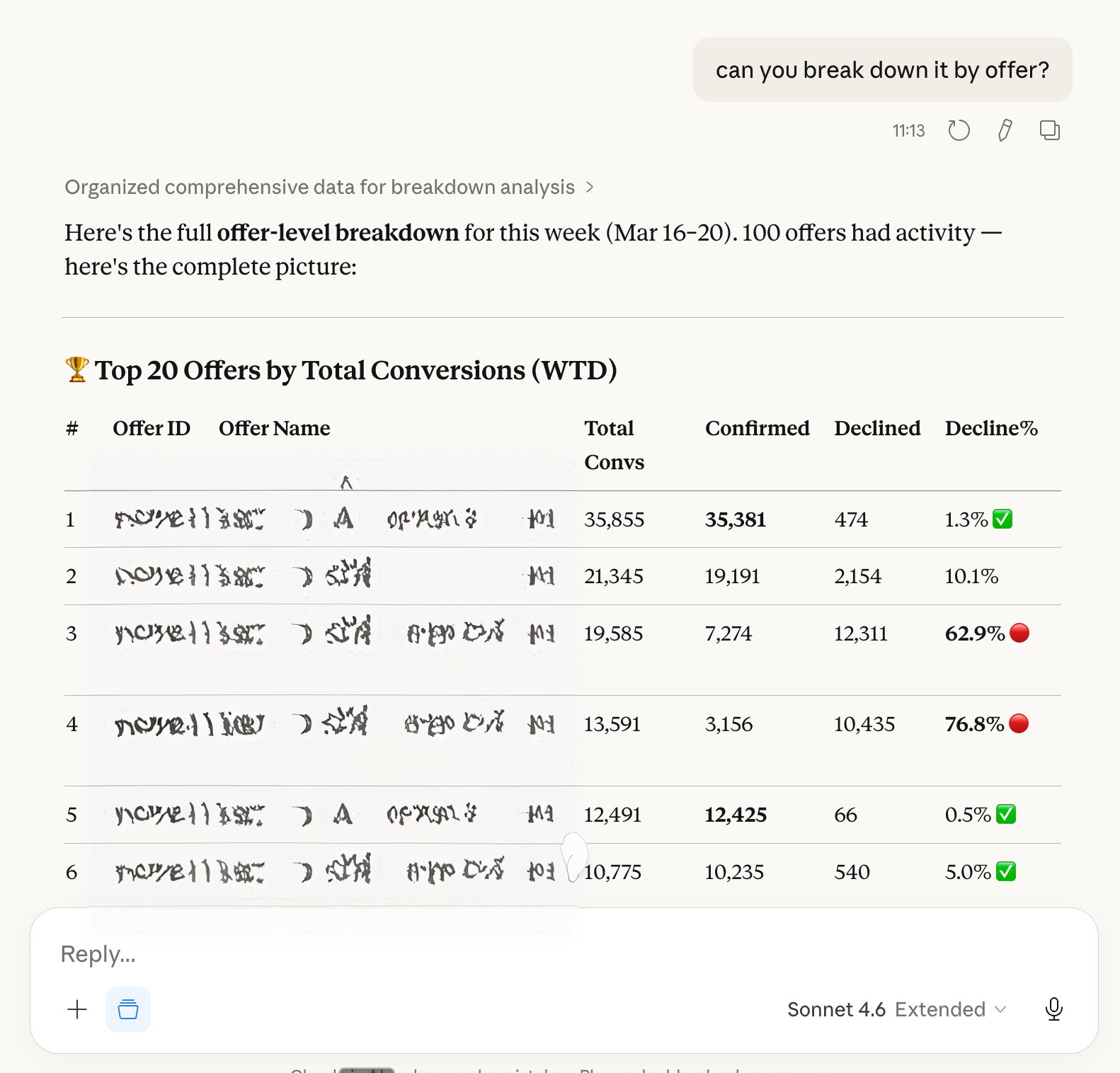
Here are the high-impact routines that Affiliate Managers run every day — and how to replace them with a single Claude prompt.
Morning Performance Briefing
Instead of opening Affise, filtering by yesterday’s date, and scanning numbers, ask Claude:
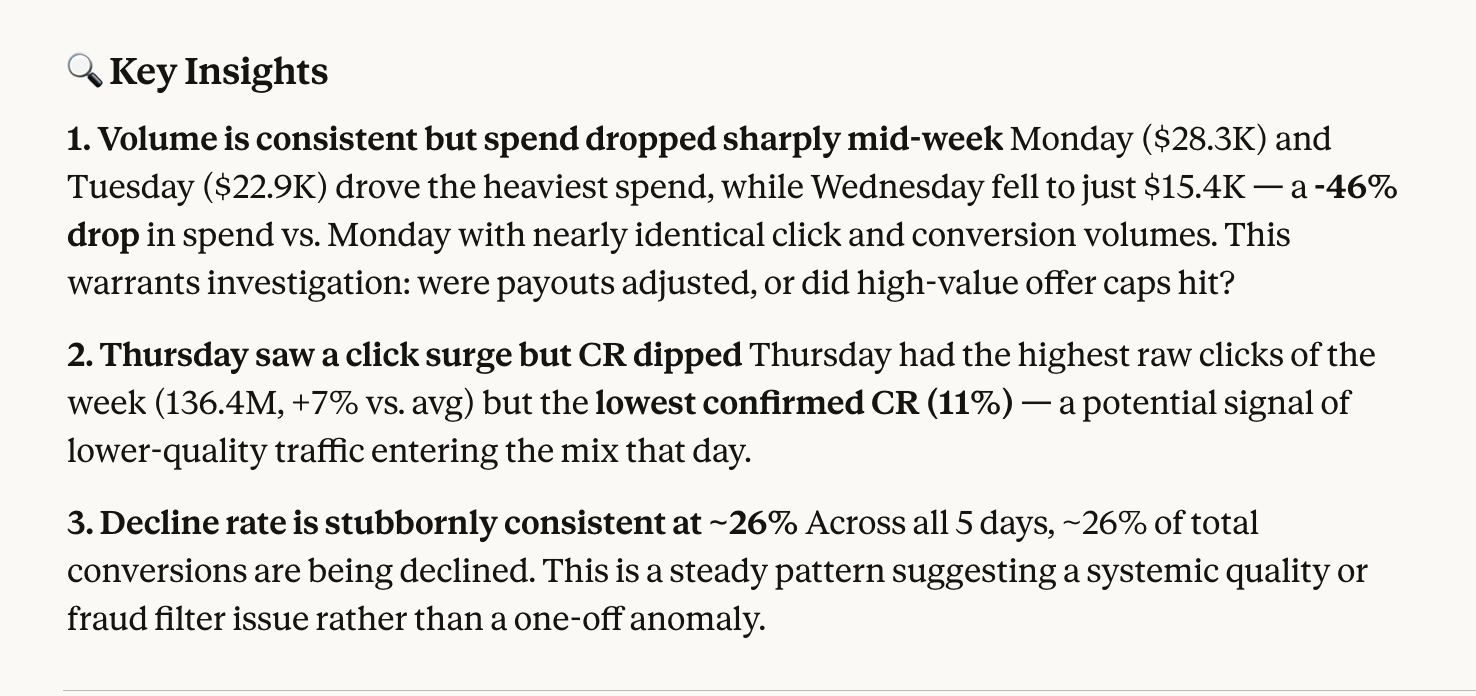
Claude calls Affise, calculates the deltas, and delivers a formatted briefing with flags — in seconds.
Affiliate Performance Review
Weekly partner reviews used to mean filtering by affiliate ID and exporting CSVs. Now:
GEO-Level Campaign Diagnostics
Understanding regional performance variation is critical for international programmes:
Conversion Quality Audit
Confirmed versus pending conversions tell a story about traffic quality. Let Claude surface it:
Once the basics are running smoothly, Claude becomes a genuine strategic partner. The same MCP connection that powers your daily reports can support deeper analytical work.
Claude can combine statistics, offer details, and affiliate performance into a single synthesis. Ask it to identify which offers have the right traffic volume but below-average CR, then cross-reference which affiliates are currently running those offers — and whether they’re the right partners for them.
Set a recurring morning prompt that checks for statistical outliers: unusual click spikes, sudden CR drops, affiliates with zero traffic after 3 days of normal volume. Claude won’t replace a proper monitoring system, but it dramatically lowers the manual effort of spotting issues early.
Pull the data and ask Claude to write the report. A prompt like “Write a one-page executive summary of our affiliate programme performance in February, suitable for the CMO” produces a polished, structured document — not a raw table.
The Affise MCP server gives Claude access to your data. Your Project instructions give Claude understanding of your business. Together, they create an assistant that can reason about your programme — not just retrieve numbers from it.
The Affise MCP Server and Claude aren’t replacing the Affiliate Manager — they’re making her capable of managing twice the programme with twice the insight in the same amount of time.
Link: mcp.affise-mcp-server/
Frequently Asked Questions
The Affise MCP Server is designed for all users, including non-technical ones. You can set it up in minutes by dragging the Affise MCP Server .dxt file into your Claude Desktop App and filling in your credentials. For a step-by-step guide, check out Affise’s AI in Performance Marketing blog.
Absolutely! The Affise MCP Server not only automates reporting but also enables intelligent, real-time optimization by connecting your AI assistant directly to your Affise data. This allows for predictive insights, cross-system orchestration, and actionable recommendations. Learn more about automation’s role in scaling and efficiency in Affise’s automation blog.
By integrating the Affise MCP Server, you eliminate manual data handling, reduce errors, and gain real-time, context-aware insights that drive faster, smarter decisions. The server acts as a bridge between your AI tools and Affise, making it easier to manage campaigns at scale. For a deeper dive into automated affiliate marketing, visit Affise’s automated marketing blog.
Written by
Dmitry Zotov
Stay on top of the competition. Let us keep you updated with news, insights, and more