



On 9-11 February, meet Affise in Dubai: Sigma Eurasia!
Master Ad Cost Tracking for Higher ROI with Affise Master Ad Cost Tracking for Higher ROI with Affise

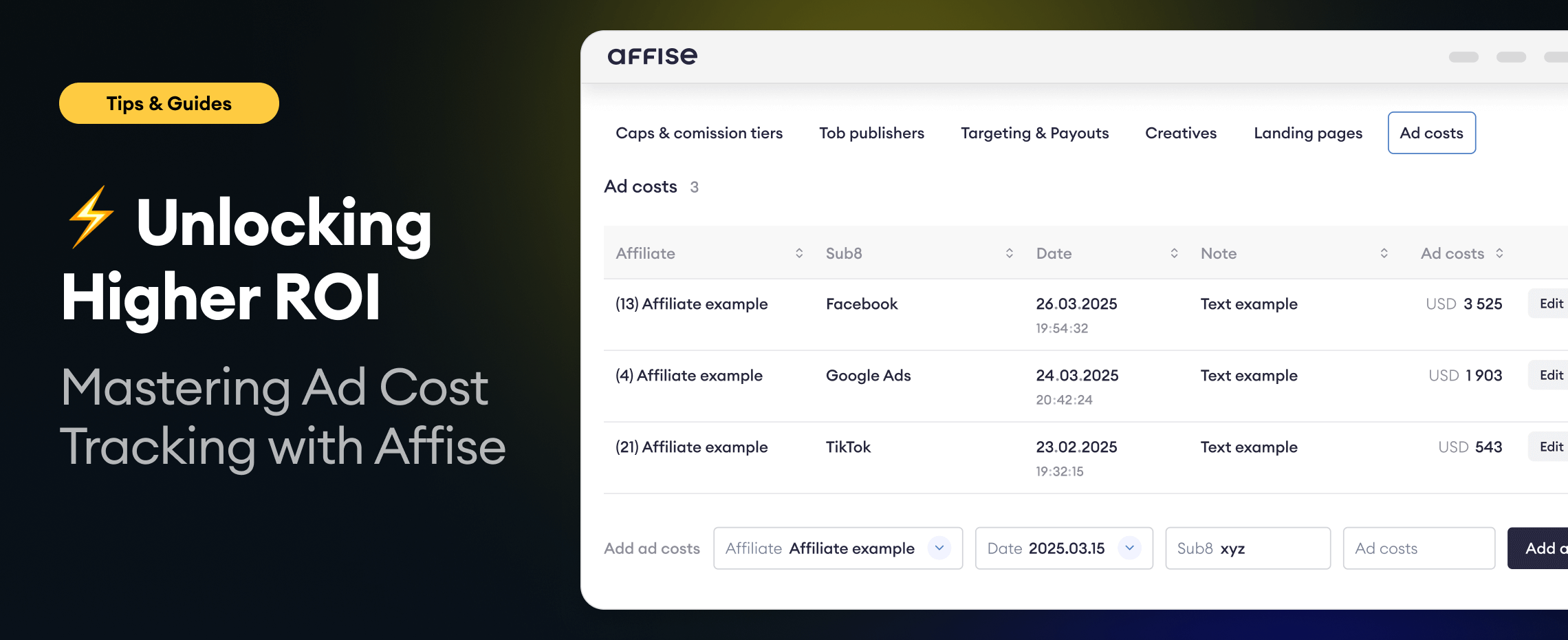
Unlocking Higher ROI: Mastering Ad Cost Tracking with Affise

Understanding and optimizing advertising spend is critical for media buying teams. Affise simplifies this process through its Ad Costs tracking feature, empowering media buying teams to effortlessly track, analyze, and control advertising expenses.

What is Ad Cost Tracking?

Ad Cost Tracking allows you to centralize your advertising costs from any ad network, including Meta, Google Ads, TikTok, and more. With Affise, you can forget about tracking all your ad costs in different Excel or Google spreadsheets, instead you can consolidate them in one convenient platform where you run your affiliate program.

Why Ad Cost Tracking Matters

Accurate tracking of ad costs enables you to:

  • Precisely measure the ROI of each campaign.
  • Quickly identify and optimize profitable campaigns.
  • Make informed budgeting decisions.

For example, the agency MediaBoost Agency began tracking their ad costs using Affise, resulting in significant efficiency improvements. They saved around 15 hours weekly by eliminating manual data entry in Google Sheets from 3rd party ad tracking software. This reduced their monthly expenses by approximately $1,200, translating to annual savings exceeding $14,000.

Setting Up and Managing Ad Costs

Adding Ad Costs

  1. Navigate to Offers > select your Offer > Offer preview.
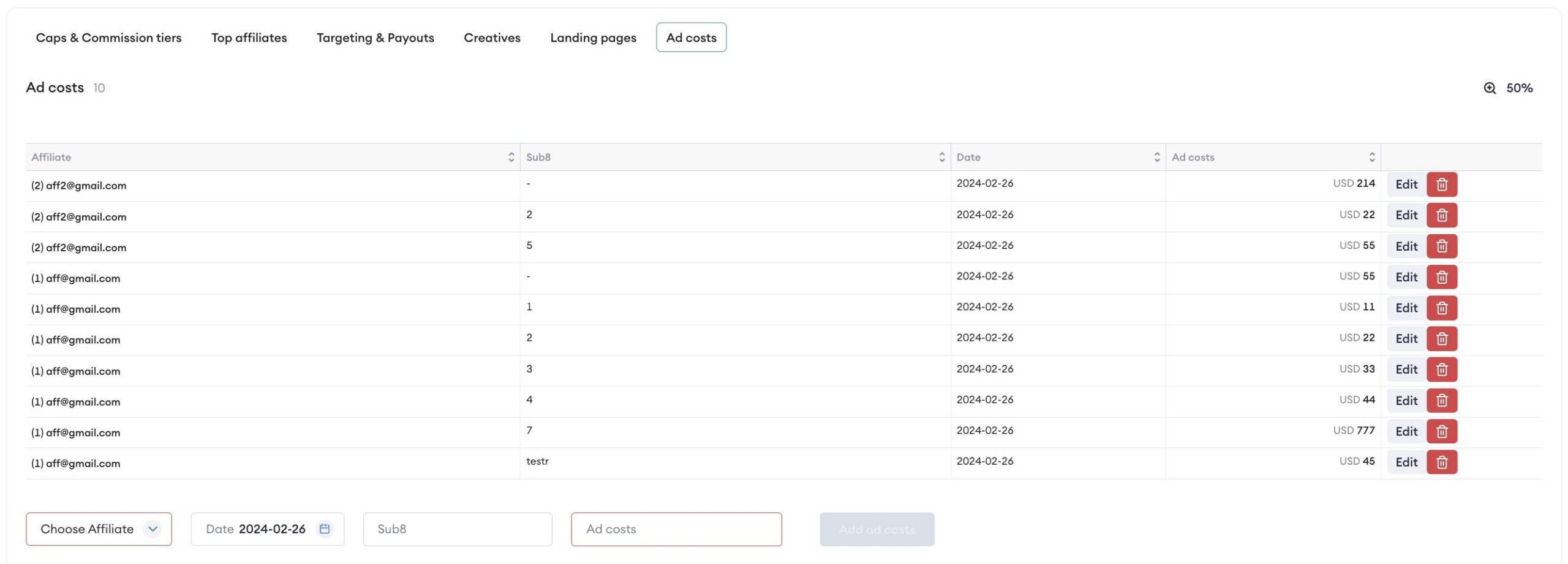
  2. Click Ad Costs and add your expenses directly, specifying Affiliate, Date, Amount, and Currency.

Editing Existing Ad Costs

Select the entry, click Edit, and update the amount directly in Affise.

Ad Cost

Analyze Ad Costs in Statistics

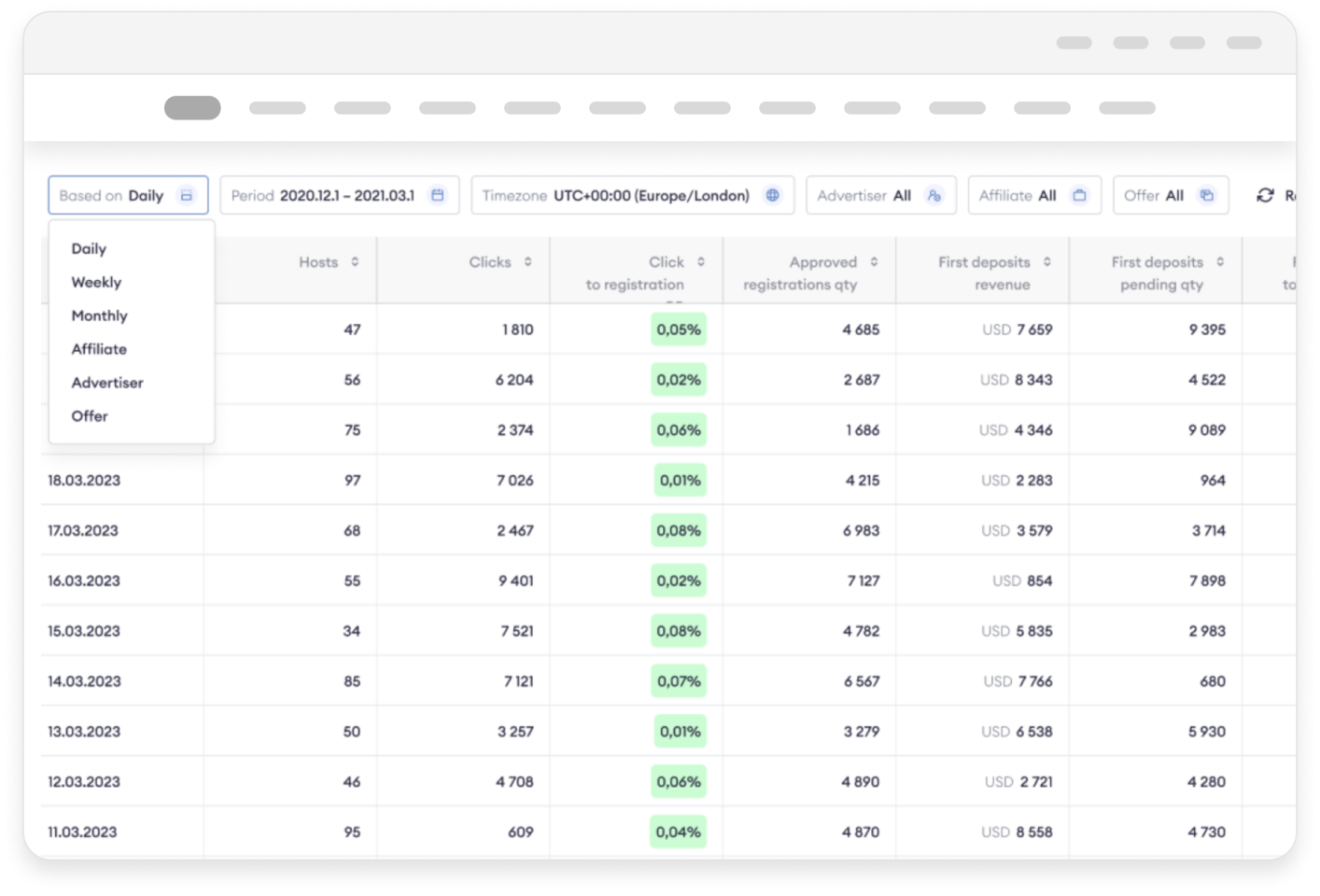
Ad costs are visible through different statistical views:

  • Daily
  • Weekly
  • Monthly
  • By Offers
  • By Affiliates
  • iGaming

Detailed metrics include ad costs, margins, and ROI, allowing in-depth analysis and timely decision-making.

Automating Ad Cost Tracking: Meta Ads API Integration with Affise

Using Ad Costs API, a very powerful feature that Affise provides, you can build ad costs tracking integration with literally any platform that has API to provide ad spend data.

This will allow to automatically pull ad costs from the platforms like Google Ads and Meta and push them to Affise ad costs module.

Below you can find a pseudo code for the Meta ↔ Affise Ad Costs integration. You can use it as example to build your own ad costs integration not only with Meta but with any platform that has API for ad spend insights.

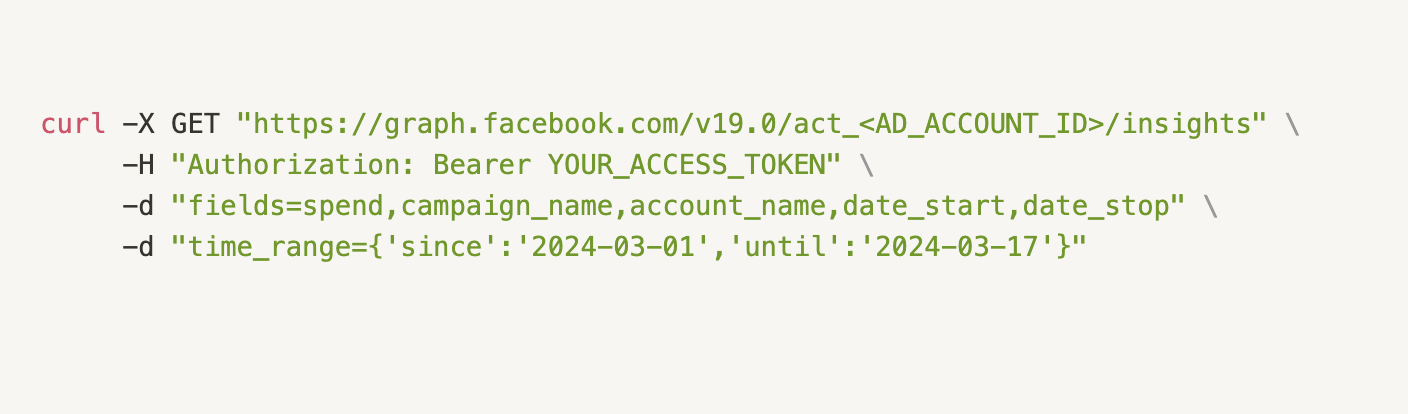
Step 1: Fetch Ad Spend from Meta Ads API

To retrieve ad spend data, use the Meta Ads API /insights endpoin

Example API Call to Meta Ads

API Call to Meta Ads

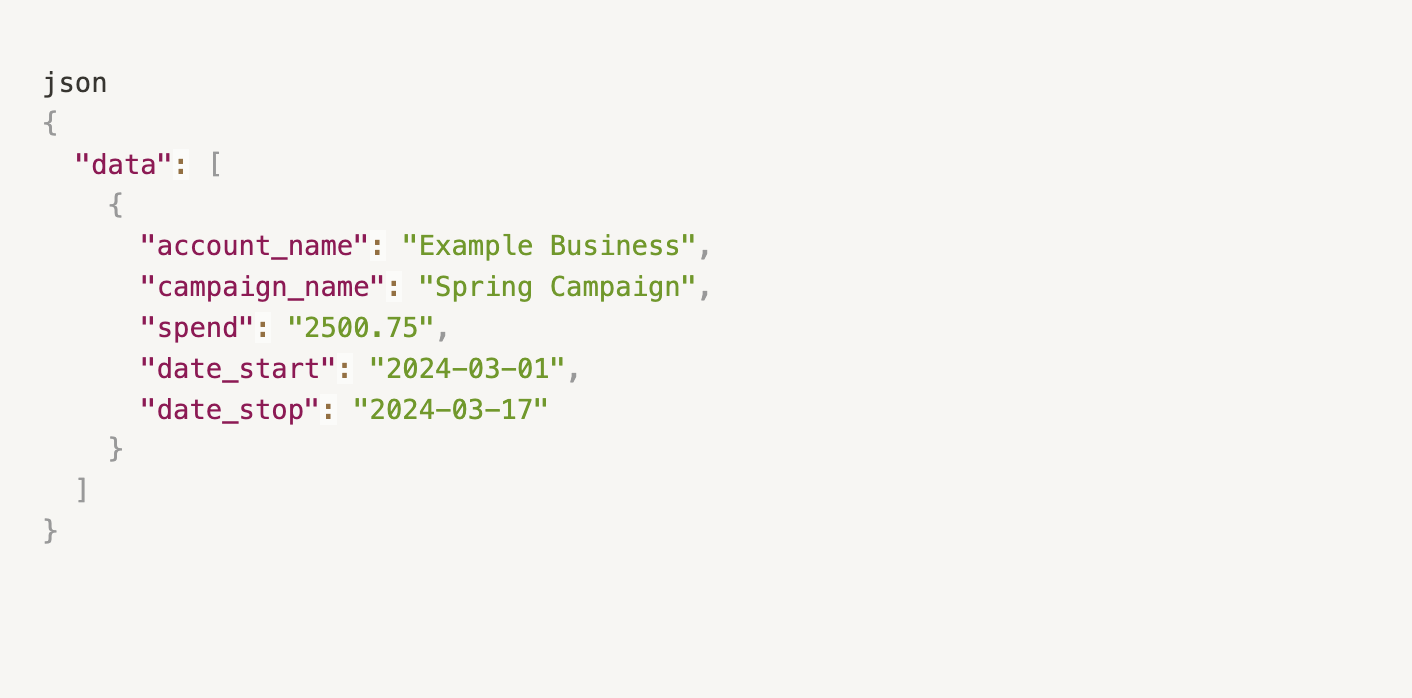
Response Example

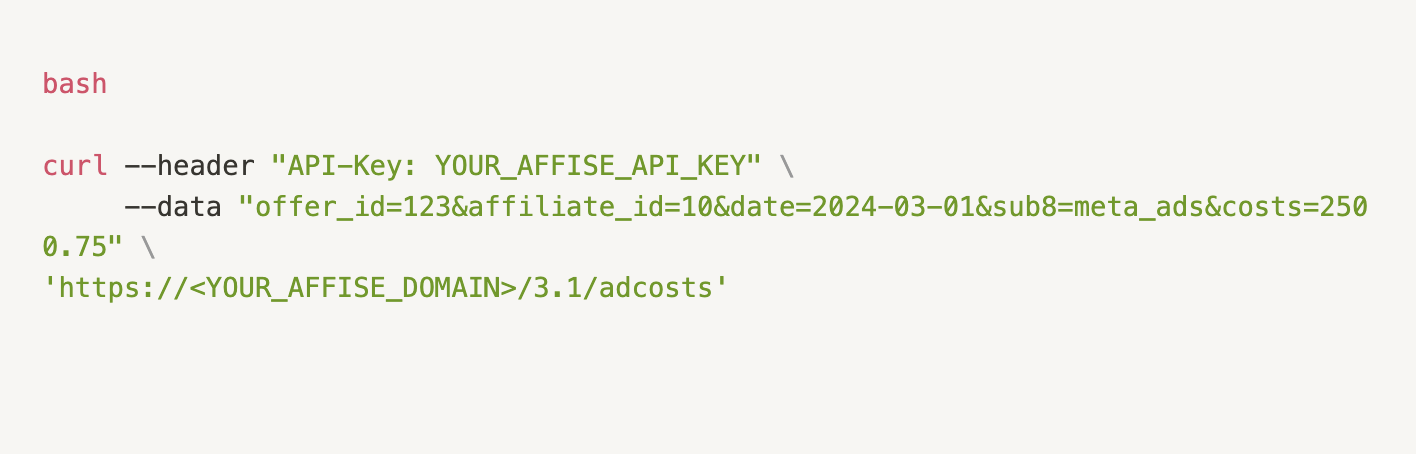
Step 2: Push Ad Cost Data to Affise

Once you have the spend data from Meta Ads, send it to Affise using the Ad Costs API.

Example API Call to Add Ad Costs to Affise

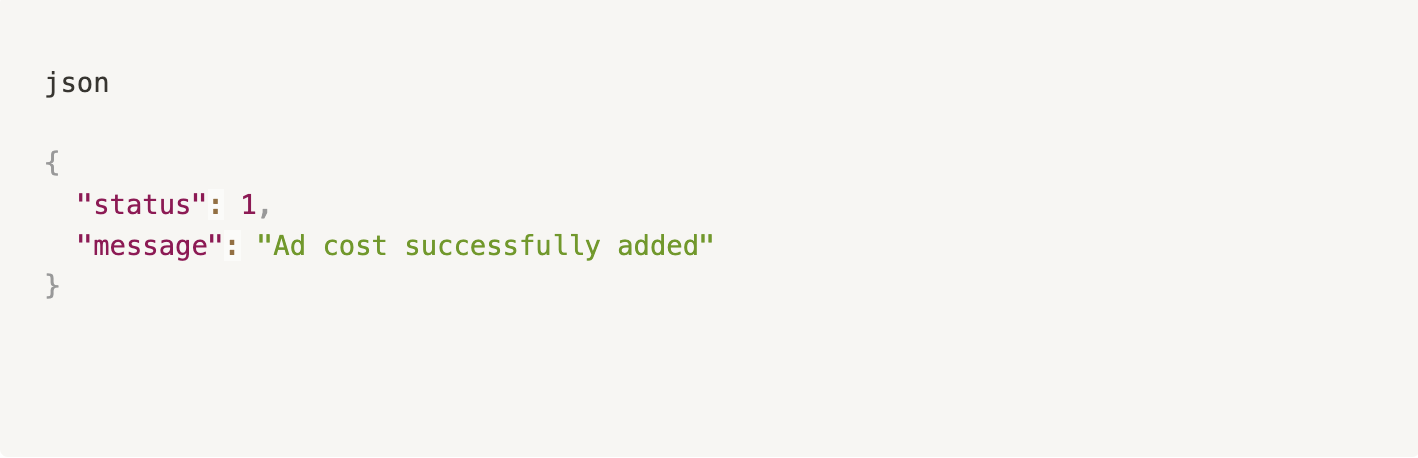
Response Example

Using Custom Columns for Enhanced Analysis

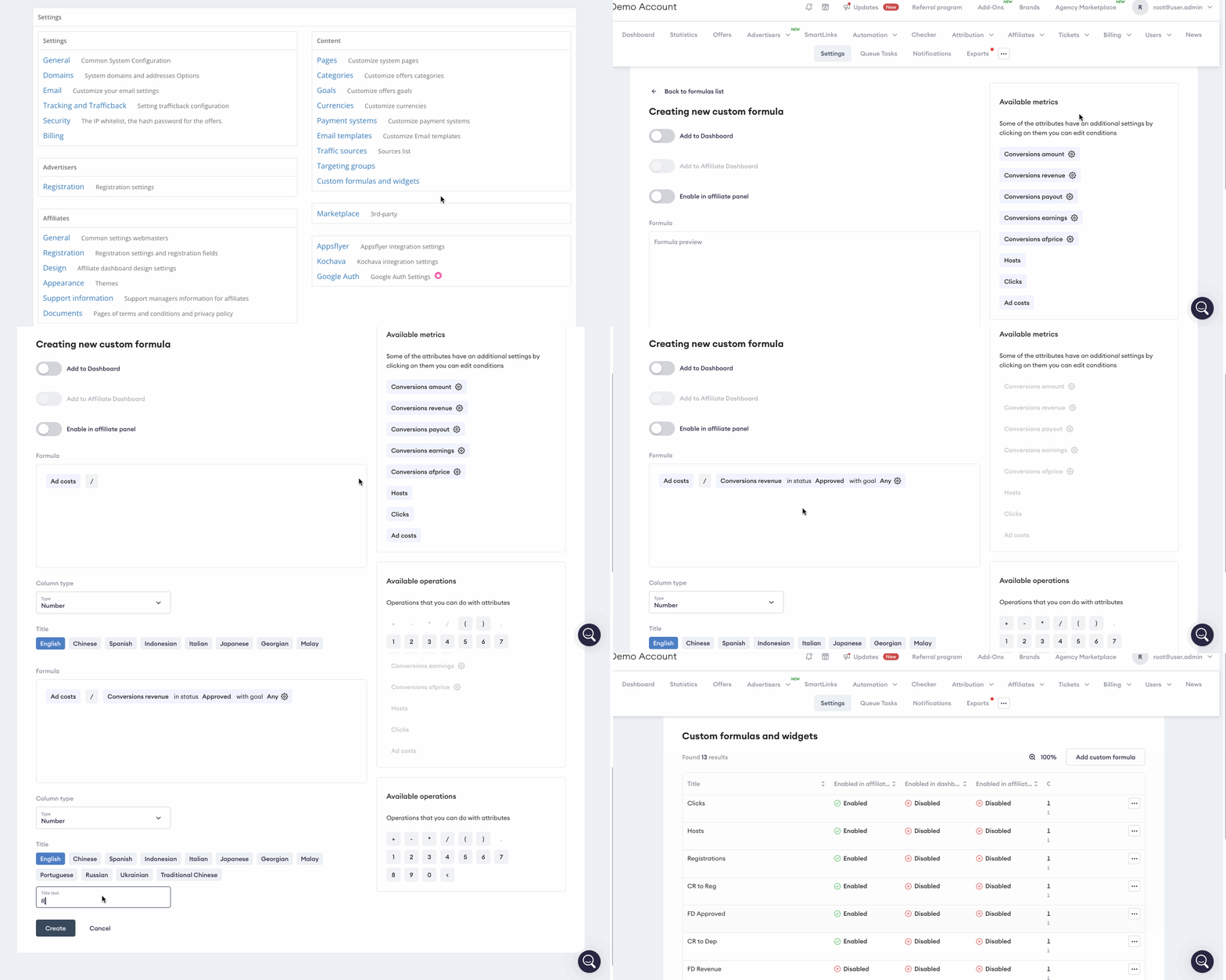
Customize your statistics by adding Ad Costs to custom columns. For example, I want to include the column ROAS (Return on ad spend). Typically, ROAS is calculated by dividing revenue by ad spend. In order to add the metric in your Affise dashboard, we need to do the following.

  1. Navigate to Settings and select Custom formulas and widgets;
  2. Click Add custom formula;
  3. Click Ad Costs, the click ‘/’ sign (division), then select Conversions revenue metric;
  4. Select the column type and name it, click Create;
  5. Optionally, you can create a widget based on the column and whether to show the column in the affiliate panel.

Now you can access the ROAS column in the iGaming or Performance Insights report:

ROAS column in the iGaming

Results

By leveraging Affise’s Ad Costs Tracking, MediaBoost Agency saved 15 hours weekly and reduced their monthly expenses by $1,200. Start enhancing your campaign performance today with Affise!

You can read more about ad costs in the following article.

For additional support, reach out to our team at support@affise.com.

Frequently Asked Questions

1. Can Ad Cost Tracking in Affise integrate with automation tools to further streamline my workflow?

Yes, absolutely. While Ad Cost Tracking provides the foundation for understanding your advertising spend, combining it with automation tools can eliminate repetitive tasks and boost your overall efficiency. Many media buying teams find that automating their affiliate marketing processes—such as link checking, fraud prevention, and performance monitoring—complements their cost tracking efforts perfectly. By automating routine operations, you free up valuable time to focus on analyzing the ROI data from your Ad Cost Tracking dashboard and making strategic decisions. To learn more about how automation can enhance your performance marketing strategy, check out our guide on automated affiliate marketing strategies.

2. How can I quickly identify which affiliates or campaigns are underperforming once I have my ad cost data?

Once you’ve centralized your ad costs in Affise, the next step is to analyze performance patterns to spot underperforming affiliates or campaigns quickly. Affise offers visual performance reports that allow you to detect traffic drops, conversion anomalies, and revenue fluctuations in seconds—without digging through spreadsheets. By combining your ad cost data with these visual insights, you can immediately see which partnerships are delivering poor ROI and take corrective action. This data-driven approach helps you reallocate budgets effectively and optimize your campaigns faster. Learn how to leverage these visual tools in our article on spotting underperforming affiliates with performance reports.

3. What are the best practices for scaling my media buying operations while maintaining accurate cost tracking?

Scaling media buying operations requires a balance between expanding your reach and maintaining precise control over your advertising spend. As you grow, manual cost tracking becomes increasingly impractical, which is why integrating automated Ad Cost Tracking via API becomes essential. Best practices include centralizing all ad spend data in one platform, using custom columns to track metrics like ROAS, and regularly reviewing performance analytics to identify scaling opportunities. Additionally, efficient team management and onboarding processes become critical as you add more media buyers to your operation. For a comprehensive look at scaling strategies that incorporate these elements, read our detailed guide on how to scale your media buying business strategies.

Share this article
Dmitry Hodosok

Written by

Dmitry is a product manager with an interest in technology and affiliate marketing. He is passionate about improving products through a customer-centric, data-driven approach. In his free time, he enjoys traveling and reading.

Sign up to receive our newsletter

Stay on top of the competition. Let us keep you updated with news, insights, and more

email envelope